Schedule a test

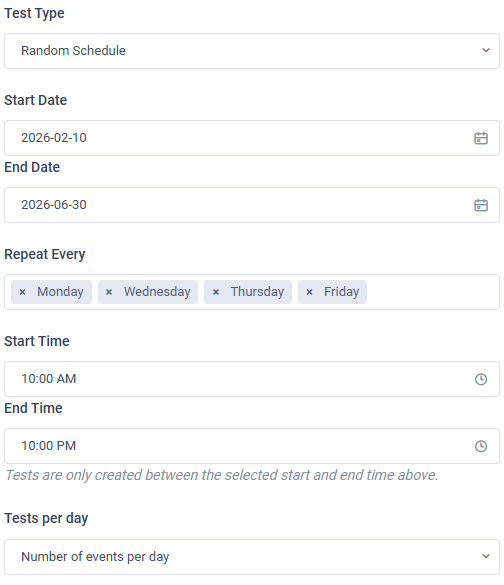
Scheduling a test on Druchol is very easy. You select the start and end date, number of tests in a day (up to 4) and also the time that tests should be scheduled.

Types of tests

  • Fixed scheduled test
    Select the start and end date, the days of the week and the exact time of the test each day.

  • Random scheduled test
    Select the start and end date, the days of the week, the start and end time the random tests are supposed to be scheduled and the number of tests (up to 4).

  • Single test on a specific date / time

  • On-demand test (immediate)


Perform a breathalyzer test


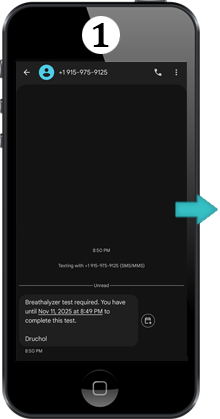
Receive text notification for breathalyzer test
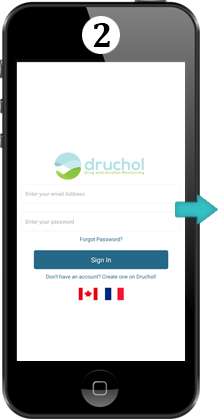

Login to the mobile app using your credentials
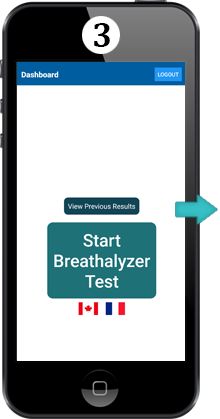

Press 'Start Breathalyzer Test'
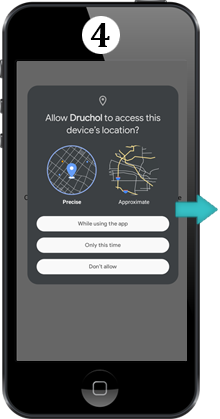

Allow all features to perform the test - bluetooth, location, video and microphone
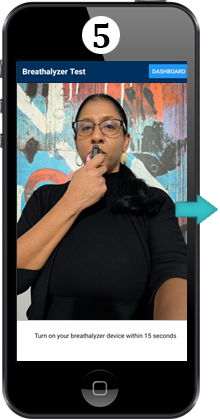

Press start, turn on the breathalyzer device and once countdown reaches 0, blow hard into the device for 5 seconds while facing the camera
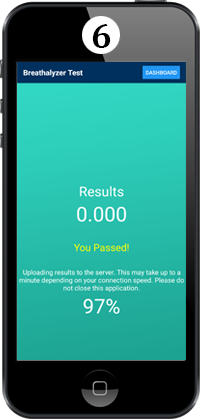

It will take around 20-30 seconds to calculate and upload the result to Druchol


Reporting

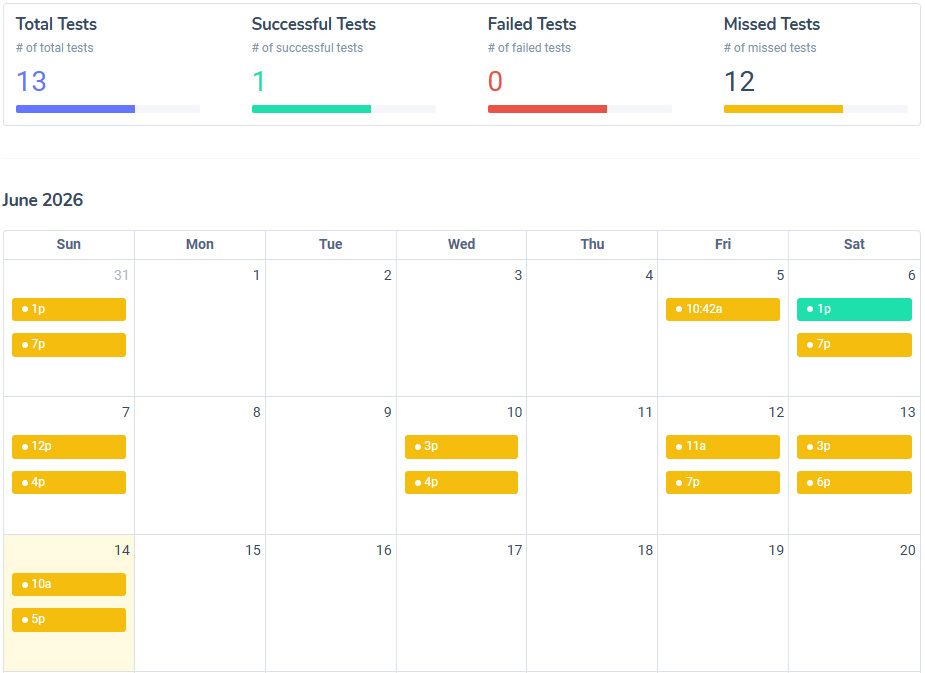
We provide monthly pdf reports as well as automated weekly csv reports. You are also able to download raw csv reports. For validation, there is a unique QR code on the PDF report that will link back to the original report on Druchol.

Types of reports

  • Automated Monthly PDF Report
    Reports are in an easy to read calendar view. It shows the total, successful, failed and missed tests along with the time.

  • Weekly CSV Report
    CSV reports include the name, email, phone number, results and date.

  • Download raw CSV reports at any time


Add a Monitor / Viewer

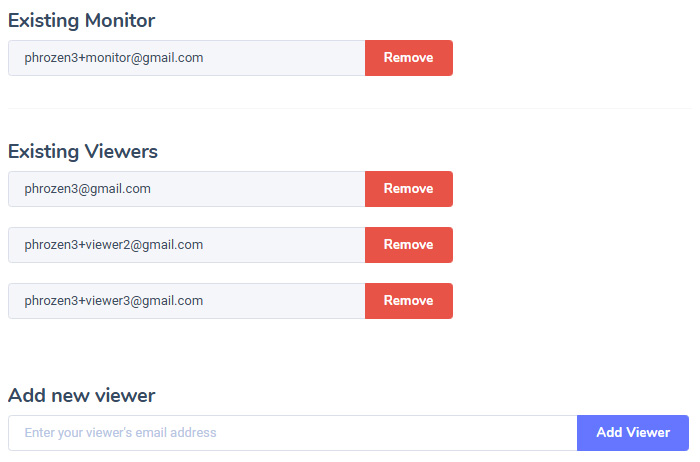
You are able to add one monitor and unlimited viewers using their email addresses. Once a monitor / viewer is added, they will receive an email with their account credentials.

  • Monitor
    This user can control billing, create test schedules, view tests, download reports and receive test notifications.

  • Viewer
    This user can only view tests, download reports and receive test notifications.